Sunday, 03, May, 2026


Expand O P Jindal Global University
 

Google Maps will alert you instantly if you are breaking this traffic rule


Google Maps
19 Jun 2019
Categories: Did you know

June 19, 2019:

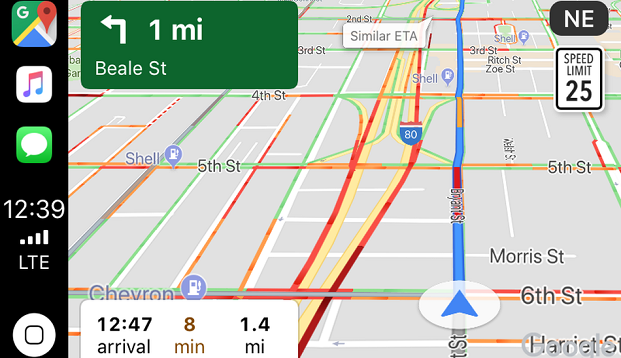
Google has rolled out a new feature for the Android version of Google Maps app that will show you at what speed you are driving your car. Dubbed as Speedometer, this feature can be found in the “Settings” menu of the Google Maps app & needs to be turned on manually. This new feature comes after Google had earlier rolled out speed limit feature. After testing the new speed limit & speed camera reporting feature for a couple of years in select countries, Google is finally rolling out this feature to 40 countries including India.

With speed cameras being deployed in several cities in India, this new Google Maps feature might actually help you avoid traffic cops & fines. While the new speed limit feature warns users about the speed limit on a particular route, the new speedometer feature will accordingly alert drivers as to whether they are speeding or not.

When the speedometer feature is turned on, the driving speed will be shown on the bottom left portion of the Google Maps screen. With the speed limits feature in Google Maps, the speedometer in the app will let you know if you’re driving too fast. The speed indicator will change colours to read if you go over the speed limit, thus informing you immediate whether you are breaking traffic rules by over speeding.

However, note that depending on your mobile internet speeds, results could be delayed. For actual speed, always refer to the car’s speedometer. How to turn on Speedometer feature in Google Maps: On your Android device, open the Google Maps app. Tap Menu Settings Navigation settings. Under "Driving options," turn on/off Speedometer

Additionally, users can now manually report a speed camera or mobile speed camera within the app. Other users, however, can look for a speed camera icon while the navigation is turned on. The feature also notifies users regarding the same.

Users can report a speed camera by tapping on the ‘+’ icon from the right side of the navigation page. Apart from the mobile speed camera, users can also report a crash & congestion. In India, however, only a few users have reported about the feature being available on their Google Maps as the feature is being rolled out in a phased manner & will take some time to get available for all the users.


Source Link


Download the LatestLaws.com Mobile App
 
 
Latestlaws Newsletter
 

Publish Your Article


Campus Ambassador


Media Partner


Campus Buzz


LatestLaws Guest Court Correspondent

LatestLaws Guest Court Correspondent Apply Now!
 

LatestLaws.com presents: Lexidem Offline Internship Program, 2026


LatestLaws.com presents 'Lexidem Online Internship, 2026', Apply Now!


LatestLaws Partner Event : Smt. Nirmala Devi Bam Memorial International Moot Court Competition


Latestlaws Newsletter